![Phrazle | Play Online Free [No Download]](https://phrazle.co.uk/wp-content/uploads/2025/11/phrazle-title.webp "Phrazle | Play Online Free [No Download]")
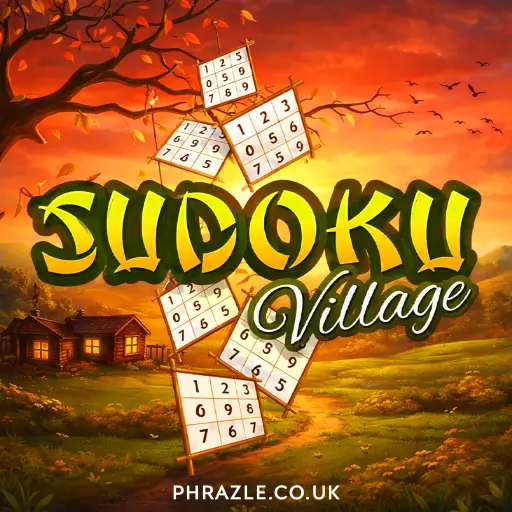

























Play Sudoku Village online for free. This classic game challenges you to fill a 9x9 grid with numbers from 1 to 9. It's a great way to sharpen your thinking skills while having a blast. No downloads needed—just open your browser and start playing right away! Enjoy the excitement of this timeless game that many have loved for generations, all in a friendly and colorful digital format.
Sudoku Village - Free Online Game
Sudoku Village is a fun and challenging puzzle game where players fill a 9x9 grid with numbers from 1 to 9. The goal is to ensure that each number appears only once in every row, column, and 3x3 square.
This game is developed by MarketJS and was released on December 23, 2016. It requires an internet connection but is playable on various devices like Chromebooks, PCs, and mobile phones without any downloads.
Key features include:
- Improves Concentration: Players must focus to solve the puzzles.
- Enhances Problem-Solving Skills: Each game challenges your ability to think logically.
- Boosts Memory: Keeping track of numbers strengthens memory skills.
- Analyzing Skills: Players learn to make connections between different parts of the grid.
To play, simply click on an empty square and use the number keys (1-9) to fill in the grid. Start with squares that have the most numbers filled in to make solving easier!
If you enjoy Sudoku Village, you might also like other puzzle games available online. Dive into this exciting world of numbers and challenge your brain!
Mastering Sudoku Village: A Complete Guide
Sudoku Village is a fun and challenging game where you fill a 9x9 grid with numbers from 1 to 9. Each number can only appear once in every row, column, and 3x3 square. Here’s how to master it:
- Start with the Basics: Look for squares that already have numbers filled in. Begin solving those first.
- Use the Process of Elimination: If a number is already in a row or column, it can't go in that space. For example, if a 7 is in the same row, you can’t place another 7 in that row.
- Focus on 3x3 Squares: Each of these sections must also contain the numbers 1 to 9 without repetition. Check what’s missing and fill in those gaps.
- Keep Track of Possibilities: If you’re unsure about a number, jot down possible options for each empty square. This will help you visualize your choices.
- Practice Regularly: The more you play, the better your skills will become. Try different puzzles to challenge yourself.
- Stay Patient: Some puzzles are harder than others. Don’t rush; take your time to think through each move.
By following these tips, you'll improve your problem-solving skills and concentration while having fun with Sudoku Village!
Sudoku Village for Chromebook & PC
You can play this game directly in your web browser on desktop, laptop, tablet, or mobile.
Beginner's Guide to Sudoku Village
Sudoku is a fun puzzle game where you fill a 9x9 grid with numbers. Here’s how to play:
- Look at the grid. Some numbers are already filled in.
- Your goal is to fill in the empty squares with numbers from 1 to 9.
- Each number can only appear once in each row, column, and 3x3 square.
- Start with the squares that have the most numbers filled in. This will help you find the missing numbers more easily.
- If a row or column already has a number, you can't use that number again in the same row or column.
- Use a process of elimination. If you know certain numbers are already in a row or square, figure out what number must go in the empty spots.
- Keep practicing! The more you play, the better you’ll get at spotting patterns and solving puzzles.
Sudoku Village Controls & Keybinds
Mastering the controls is essential for an enjoyable experience. Here’s how to navigate the game:
- Select a Spot: Click on an empty square using your mouse.
- Register a Number: Press any number key from 1 to 9 on your keyboard to fill the selected spot.
These simple controls allow you to focus on solving the puzzles efficiently. Enjoy your time in Sudoku Village!
How to Hack Your Way to Victory in Sudoku Village
Winning in this game requires strategy and smart thinking. Here are some tips to help you succeed:
- Start with the Obvious: Look for rows, columns, or 3x3 squares that have the most numbers filled in. Fill in the easy spots first.
- Use Process of Elimination: If a number is already present in a row or column, it can't go in those spots. Use this to narrow down your options.
- Check for Hidden Singles: Sometimes a number can only fit in one spot within a 3x3 square, even if other numbers are present. Don’t overlook these opportunities!
- Pencil Marks: If you're unsure, use pencil marks to note possible numbers in empty squares. This helps visualize your options.
- Focus on One Area: Concentrate on one 3x3 square at a time. Completing smaller sections can make the overall puzzle easier.
- Stay Patient: If you get stuck, take a break. Coming back with fresh eyes can help you see new possibilities.
- Practice Regularly: The more you play, the better you'll get. Familiarize yourself with different patterns and strategies.
Why Sudoku Village is so Addictive
This game keeps players coming back for more due to its engaging features:
- Challenging Puzzles: Each game offers a unique 9x9 grid that tests your logic and problem-solving skills.
- Easy to Learn: Simple rules mean everyone can join in.
- Improves Mental Skills: Regular play enhances concentration, memory, and analytical thinking, making it a fun way to boost brainpower.
- Progressive Difficulty: As you advance, puzzles become more challenging, keeping the gameplay fresh and exciting.
- User-Friendly Controls: Intuitive mouse clicks and number keys make it easy to fill in the grid smoothly.
- Accessible Anywhere: Compatible with various devices and browsers, allowing you to play anytime, anywhere.
Games Like Sudoku Village
If you enjoy Sudoku Village, you might also like these similar games:
- Unpuzzle Master - A challenging puzzle game that will test your logic skills.
- Stickman Draw The Bridge - Use creativity to solve physics-based puzzles.
- Sudoku Garden - A relaxing twist on the classic Sudoku experience.
- Traffic Jam Hop On - Navigate through traffic in this engaging puzzle game.
FAQs about Sudoku Village
Does Sudoku Village work on mobile/phone?
Yes, it works perfectly on mobile devices. You can enjoy the game on your phone anytime.
Do I need to download Sudoku Village?
No, you do not need to download anything. You can play directly in your browser.
Can I play Sudoku Village on Chromebook?
Yes, it is compatible with Chromebooks. Just open it in your web browser and start playing.
What are the main rules of Sudoku?
The main rule is to fill a 9x9 grid so that each number from 1 to 9 appears once in every row, column, and 3x3 square.
Can I play with friends in Sudoku Village?
No, this game is designed for solo play. You can challenge yourself with different puzzles.
Is there a time limit in Sudoku Village?
No, there is no time limit. You can take your time to solve each puzzle at your own pace.
Are there different difficulty levels in Sudoku Village?
Yes, there are various difficulty levels available. You can choose easy, medium, or hard puzzles based on your skill level.
Can I save my progress in Sudoku Village?
No, you cannot save your progress. Each game starts fresh when you return.
Is there a tutorial for beginners in Sudoku Village?
No specific tutorial is available, but the game is easy to understand and learn as you play.
Sudoku Village Review Summary
Sudoku Village is a fantastic way for kids to sharpen their minds while having fun. The game challenges players to fill a 9x9 grid with numbers, enhancing problem-solving and concentration skills. Each puzzle offers a unique challenge, keeping the gameplay fresh and exciting.
Playing Sudoku Village online is easy and accessible—no downloads required! Plus, it’s a great game to share with friends, turning solo play into friendly competition.
So why wait? Play Sudoku Village today and see how many puzzles you can solve. Don’t forget to invite your friends to join in on the fun!