![Phrazle | Play Online Free [No Download]](https://phrazle.co.uk/wp-content/uploads/2025/11/phrazle-title.webp "Phrazle | Play Online Free [No Download]")
















Experience instant fun with Lattice, a captivating no-download browser game that you can play online for free! This adventure challenges your logic and strategy skills as you connect matching points and fill the grid. It offers a mix of relaxation and mental stimulation. Enjoy seamless gameplay on Chrome, Safari, and mobile devices, making instant play easy anytime, anywhere.
Technical Specifications for Lattice
| Developer | Propel Games |
| Publishing Date | 2016 |
| Main Genre | Puzzle |
| Sub-Genre | Logic, Strategy |
| Platform | Web Browser (HTML5) |
| Input Method | Mouse, Touch Screen |
| Multiplayer Mode | Single-player |
| Content Rating | Everyone / ESRB E |
| Tech Stack | HTML5, JavaScript, Canvas |
| Primary Language | English |
| Installation Required | No (Instant Play) |
Lattice - Free Online Game
Lattice is a captivating logic puzzle game developed by Propel Games. Released in 2016, it quickly became popular among kids and teens.
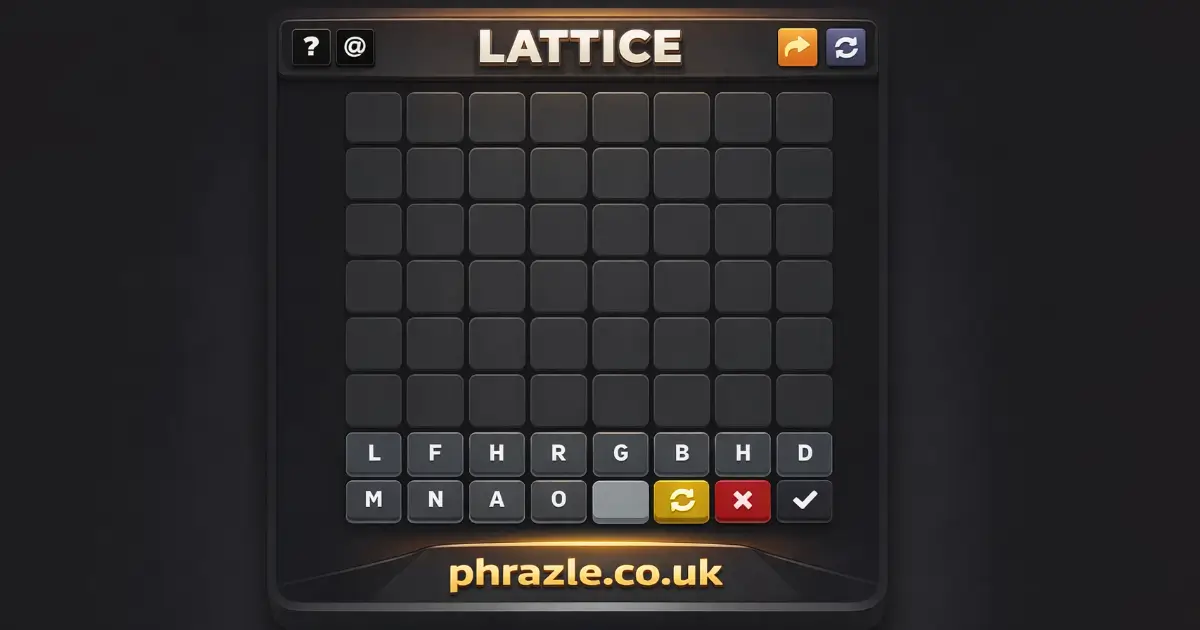
The game challenges players to connect matching colored dots on a grid without crossing lines. It's easy to learn but gets harder as you progress through levels filled with tricky obstacles and larger grids.
Available on all devices, including desktop, tablet, and mobile, it features vibrant animations that keep players entertained. With simple swipe-and-drag controls, even younger players can enjoy it without any hassle.
As you advance, you earn points and unlock new levels, making it a great way to sharpen your mind while having fun.
Lattice Gameplay & Mechanics
The game is played on a diagonal spatial lattice. Your goal is to move your pieces, or balls, to the opposite side of the grid. You can move one ball forward to a free neighboring node or capture an opponent's ball if the next node behind it is free.
- When you capture a ball, it is removed from the game, and you move your ball into its place.
- If you have the chance to capture, you must do so.
- You can capture multiple opponent's balls in one turn.
Once you reach the opponent's starting level, your ball transforms into a "star." This allows you to bring back one of your previously captured balls and place it on any free node in your starting area. Stars can also move like regular balls and capture opponent's balls behind them.
The game ends when one player has no balls left or cannot make any moves. The winner is determined by who has more pieces on the opposite side.
As you play, you can choose different AI difficulty levels, grid dimensions, and colors. The game features rewind options to undo moves and save progress for later play. This helps develop your 3D thinking skills while keeping gameplay engaging and strategic!
Lattice for Chromebook & PC
You can play this game directly in your web browser on desktop, laptop, tablet, or mobile.
Lattice Tutorial for New Players
Welcome to the exciting world of Lattice! Here’s how to get started and have fun:
- Objective: Connect matching colored dots to fill the entire grid with lines.
- Starting Off: Begin with small grids that help you learn the basics.
- Connecting Dots: Draw lines between matching colors without crossing other lines.
- Plan Your Moves: Think ahead to avoid blocking paths for other colors.
- Use the Edges: Start connecting dots near the borders to clear space in the middle.
- Look for Short Paths: Connect nearby pairs first to simplify your board.
- Undo If Stuck: If you make a mistake, retrace your line to try a different route.
- Fill Every Square: Make sure to use all grid squares for a complete win!
Enjoy solving puzzles and improving your skills as you play!
PC Controls for Lattice
Mastering the controls is essential for success. Here’s how to navigate the game effectively:
- Mouse Controls:
- Left Click & Hold: Select a starting dot.
- Drag Mouse: Draw the line to the matching dot.
- Release Click: Finalize the connection.
- Keyboard Shortcuts:
- Use Arrow Keys: Navigate through the grid if needed.
- Spacebar: Undo the last move to try a different path.
Hidden Glitches & Tips in Lattice
Unlock your potential with these game-specific tips and tricks to master the grid:
- Start with the Edges: Connect dots near the borders first. This opens up space in the middle.
- Look for Short Paths: Pair dots that are adjacent. This simplifies the board quickly.
- Plan Ahead: Check your long lines to avoid blocking other pairs.
- Use the Perimeter: Stick to the edges of the grid with your lines to maintain flow.
- Work Outside-In: Solve outer layers first; it often reveals inner connections.
- Don't Be Afraid to Undo: If stuck, retrace your steps and try a new route.
- Watch for Dead Ends: Ensure every move keeps at least one path open for remaining colors.
- Fill Every Square: Aim to use 100% of grid squares in many levels for a win.
Lattice Highlights & Modes
This game offers a variety of features:
- Multiple Difficulty Levels: Choose from easy, medium, or hard to match your skill level.
- Dynamic Grids: Play on various grid sizes and shapes that increase in complexity as you progress.
- Colorful Graphics: Enjoy vibrant animations and a clean design that keeps the gameplay visually appealing.
- Undo Feature: Easily retrace your steps if you make a mistake, allowing for better strategy planning.
- Challenging Obstacles: Encounter unique challenges that require critical thinking and planning to overcome.
- Unlockable Levels: Earn points to unlock new levels with more intricate designs and puzzles.
- Cross-Platform Play: Enjoy the game on any device, including computers, tablets, and smartphones without downloads.
- User-Friendly Controls: Simple swipe-and-drag mechanics make it easy for anyone to pick up and play.
- Brain-Boosting Gameplay: Sharpen your mind while having fun solving puzzles and connecting dots.
More Games in this Genre
If you enjoy Lattice, check out these similar games:
FAQs about Lattice
Does Lattice work on mobile/phone?
Yes, it works perfectly on mobile phones. You can enjoy the game anytime and anywhere.
Do I need to download Lattice?
No, you do not need to download anything. You can play directly in your web browser.
Can I play Lattice on Chromebook?
Yes, you can play it on a Chromebook. It runs smoothly in the browser.
Is Lattice suitable for kids?
Yes, it is suitable for kids. The game is designed to be fun and educational.
Can I save my progress in Lattice?
Yes, you can save your game progress. This lets you continue later without losing any achievements.
Are there different levels of difficulty in Lattice?
Yes, there are different levels of difficulty. You can choose how challenging you want the game to be.
Can I play Lattice with friends?
No, it is a single-player game. However, you can challenge your friends by comparing scores.
Is there a time limit in Lattice?
No, there is no time limit. You can take your time to solve each puzzle at your own pace.
Are there any ads in Lattice?
No, there are no ads while playing the game. Enjoy a seamless gaming experience!
Lattice Review Summary
Lattice is a delightful puzzle game that combines fun with learning. Kids will enjoy connecting colorful dots while enhancing their logical thinking and planning skills. The game's vibrant visuals and straightforward mechanics make it easy for anyone to jump in and start playing.
As you progress, the challenges become more exciting, keeping players engaged and motivated. Plus, it's completely free to play online with no download required!
Encourage your friends to join you in mastering the grid. Play Lattice today, and see who can achieve the highest score! Happy gaming!