

 Loading...





























Experience instant fun with Microsoft Sudoku, a free game that lets you play online without any downloads. Dive into this exciting puzzle adventure featuring various difficulty levels and daily challenges. Perfect for all ages, this title works seamlessly on Chrome, Safari, and mobile devices, ensuring you can enjoy a classic brain teaser anytime, anywhere. Get ready to sharpen your logic skills and have a blast!
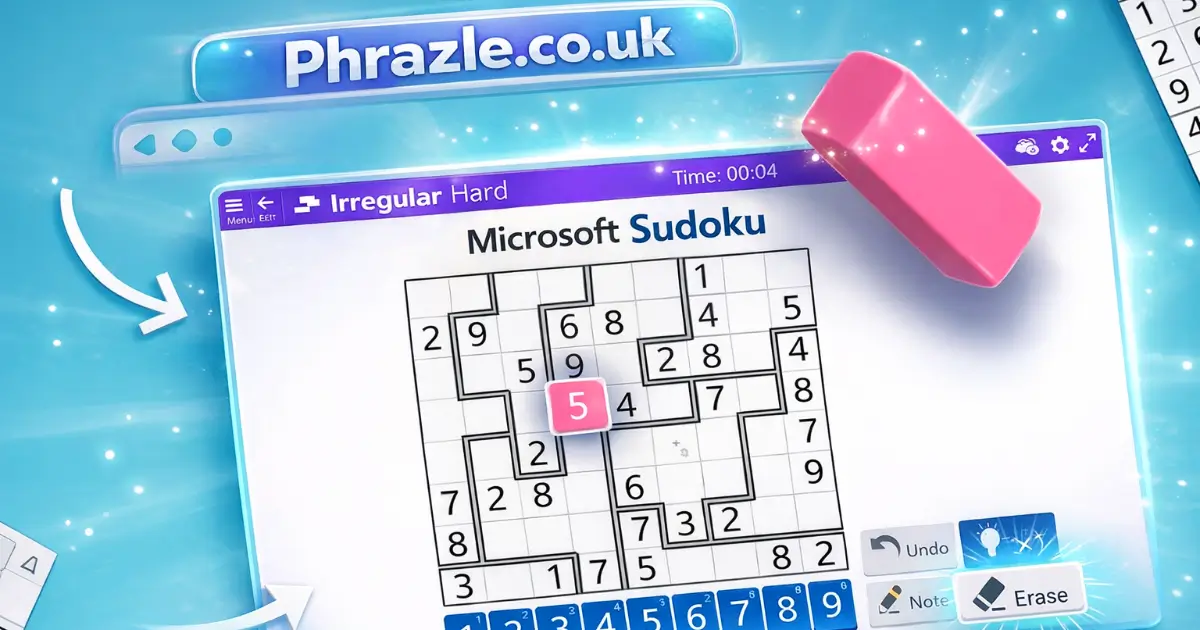
Technical Specifications for Microsoft Sudoku
| Developer | Microsoft |
| Publishing Date | 2020 |
| Main Genre | Puzzle |
| Sub-Genre | Logic |
| Platform | Web Browser (HTML5) |
| Input Method | Keyboard, Mouse, Touch Screen |
| Multiplayer Mode | Single-player |
| Content Rating | Everyone / ESRB E |
| Tech Stack | HTML5, JavaScript, CSS |
| Primary Language | English |
| Installation Required | No (Instant Play) |
Why Everyone is Playing Microsoft Sudoku
Microsoft Sudoku is a fun and challenging game developed by Microsoft, released in 2018. It offers a classic puzzle experience that keeps players engaged with its simple yet strategic gameplay.
Here are some key reasons why it's so popular:
- Multiple skill levels: Choose from Easy, Medium, Hard, and Evil to match your skill.
- Random puzzle generation: You’ll never play the same puzzle twice!
- Daily Challenges: Test your skills every day and earn rewards.
- Hints and notes: Use hints to help you out, or jot down possible numbers in squares.
- Two modes: Enjoy classic or irregular puzzles for varied gameplay.
It's accessible on all devices, making it perfect for school breaks or free time. Plus, no download is required to start playing! Join the fun and challenge your brain with this exciting number game.
Microsoft Sudoku Controls & Physics Explained
Playing Microsoft Sudoku is all about using the right controls to fill in the grid. Here’s how it works:
- Entering Numbers: Click on an empty square and select a number from the list on the right. You can also click a number first, then choose a square.
- Keyboard Shortcuts: Use arrow keys to move around the grid. Type numbers directly using your keyboard for quick entry.
- Erasing Mistakes: Press backspace or delete to remove any number or note from a square. Use CTRL+Z to undo your last action.
- Notes Feature: Click the Notes button to jot down possible numbers in a square. This helps when you’re unsure of the answer.
- Game Controls: Pause the game using any button at the top. The arrow button returns you to the main menu, while the plus-sign restarts or changes difficulty.
The physics of the game are straightforward. You need to fill a 9x9 grid so that each row, column, and 3x3 block contains all numbers from 1 to 9 without duplicates. The game provides hints and validates moves to help you improve your skills. Remember, each puzzle has only one correct solution!
Play Microsoft Sudoku Instantly in Browser
You can play this game directly in your web browser on desktop, laptop, tablet, or mobile.
Step-by-Step: Winning in Microsoft Sudoku
Follow these steps to solve your Sudoku puzzles like a pro!
- Understand the Grid: You have a 9x9 grid. Each row, column, and 3x3 block must have numbers from 1 to 9 without repeating.
- Start with Given Numbers: Look for the numbers already filled in. Use them as clues to find other numbers.
- Use the Pen and Pencil Modes: Use the pen to enter definite answers. If you're unsure, use pencil mode to jot down possible numbers.
- Check Rows, Columns, and Blocks: Focus on one row, column, or block at a time to see what numbers are missing.
- Look for Unique Solutions: Find spots where only one number can fit. This helps you fill in more spaces.
- Take Notes: Use the notes feature to remember possible numbers for empty squares.
- Use Hints Wisely: If you're stuck, use hints to reveal the correct number for a square.
- Practice Regularly: The more you play, the better you'll get! Challenge yourself with different difficulty levels.
Mastering the Keyboard in Microsoft Sudoku
To enhance your gameplay, familiarize yourself with these essential controls:
- Entering Numbers: Click on an empty square and select a number from the list on the right. Alternatively, click a number first, then choose a square to fill it in.
- Keyboard Entry: Use the arrow keys to navigate squares. Type the desired number using the keypad or number keys.
- Erasing: Press the backspace or delete key to remove numbers or notes from the selected square.
- Undo Action: Use CTRL+Z to undo your last move.
- Pause Game: Click any button along the top of the game to pause your current session.
- Main Menu: Press the arrow button to return to the main menu.
- Restart Level: Click the plus-sign button to restart or change difficulty.
By mastering these controls, you'll improve your efficiency and enjoyment while playing.
Microsoft Sudoku Cheats, Tips & Tricks
Level up your game with these essential tips!
- Use the Notes feature to jot down possible numbers for each square. This helps keep track of your options.
- Start with rows, columns, or blocks that have the most filled squares. This gives you a better chance of spotting missing numbers.
- Look for squares that only have one possible number. This is a quick win!
- Utilize the hint feature wisely. Save them for tough spots when you're really stuck.
- Check for duplicates by clicking on any number. This will highlight where that number already exists on the grid.
- Play in different modes like Irregular or Ice Breaker to challenge yourself and improve your skills.
- Practice regularly to become faster and more efficient at solving puzzles.
Why Microsoft Sudoku is so Addictive
This game keeps players coming back for more due to its engaging features and challenges. Here’s what makes it so fun:
- Multiple Difficulty Levels: Choose from Easy, Medium, Hard, and Evil to match your skill level.
- Random Puzzle Generation: Every game is unique, ensuring you never play the same puzzle twice.
- Unlimited Undo & Redo: Make mistakes? No problem! You can easily revert your moves.
- Daily Challenges: Test your skills with new puzzles every day for extra rewards.
- Notes Function: Keep track of possible numbers in each square to help solve puzzles.
- Hints and Validation: Use hints to get help when you're stuck and validate your moves for accuracy.
- Statistics Tracking: Monitor your progress and improve your skills over time.
- Multi-Cell Select: Quickly add or remove notes for multiple cells at once.
- User-Friendly Controls: Play with mouse, keyboard, or stylus for a smooth experience.
- Themed Gameplay: Choose different themes like numbers or charms to keep things fresh.
- Flexible Settings: Customize your gameplay with options like revealing notes or showing incorrect entries.
Access Microsoft Sudoku From Anywhere
You can easily play the browser-adapted version of this classic game from any location. It runs smoothly on all modern browsers, including Chrome, Firefox, Safari, and Edge. This version offers the same engaging gameplay with added features like:
- Unlimited Undo & Redo options for error correction.
- Daily Challenges to keep your skills sharp.
- Customizable settings, including hints and notes.
- Multi-cell selection for efficient note-taking.
Enjoy a seamless experience without the need for downloads, making it perfect for school or anywhere else you have internet access.
Play Microsoft Sudoku Without Paying
You can enjoy free online play of this popular puzzle game without any fees or in-app purchases. All games on the site are completely free, allowing you to dive into challenging puzzles without any financial commitment. This means you can sharpen your skills and enjoy endless brain training without spending a dime.
- No hidden costs or subscriptions required.
- Access to various difficulty levels: easy, medium, hard, and expert.
- Unlimited undo and redo options enhance your gameplay experience.
- Daily challenges keep the game fresh and engaging.
- Statistics tracking helps you monitor your progress over time.
Safe & Unblocked: Microsoft Sudoku
Play Microsoft Sudoku Unblocked on phrazle.co.uk. Whether you're at school, at work, or on a break—you can play without any restrictions.
This game is HTML5, making it perfect for school Chromebooks. Enjoy seamless gameplay without the need for downloads or installations.
- Access daily challenges to keep your skills sharp.
- Choose from four levels of difficulty to match your expertise.
- Utilize unlimited undo and redo options to refine your strategy.
- Engage with a random puzzle generator for endless fun.
Experience the joy of solving puzzles anytime, anywhere, with no limitations!
Microsoft Sudoku on GitHub
No need to search on GitHub, our version works on all devices at school or work. You can enjoy a seamless experience without any downloads. The game is designed to be accessible and user-friendly, perfect for quick play during breaks. Plus, it features daily challenges and various skill levels to keep you engaged.
Play Microsoft Sudoku Without Installing
Many fans enjoy playing directly in their browser without any downloads. Here’s how:
- Browser: Visit the Microsoft Sudoku website to play for free, no download needed.
- Android: Open the Google Play Store and tap Install.
- iOS: Open the App Store on your iPhone or iPad and tap Get.
- Microsoft Sudoku APK: Android users who can’t use Google Play can find and download the APK from trusted sites to install offline.
- PC Steam: If you like playing on a computer, download the game for free via Steam and enjoy a bigger screen and controller support.
Microsoft Sudoku Extension
The Chrome extension offers a seamless way to enjoy your favorite number puzzle. Here are the key benefits:
- Instant access to the game without navigating to a website.
- Offline mode allows you to play even without an internet connection.
- Quick updates and new features directly from the extension.
- Enhanced performance tailored for your browser.
Experience the thrill of Microsoft Sudoku anytime, anywhere. For easy installation, download the Chrome extension now!
Best Alternatives to Microsoft Sudoku
If you're looking for fun alternatives to Microsoft Sudoku, check out these engaging games:
- Mega Jump - A fast-paced platformer that keeps you on your toes.
- Mega Shark - Dive into action with this thrilling ocean adventure.
- Master Sudoku - A classic Sudoku experience with various difficulty levels.
- Jigsaw Halloween - Combine puzzle-solving with a festive theme.
FAQs about Microsoft Sudoku
Is Microsoft Sudoku free to play?
Yes, it is 100% free to play. No download or registration is required.
Can I play Microsoft Sudoku at school?
Yes, you can play it at school if it's unblocked. Check with your school’s internet rules.
Does Microsoft Sudoku work on mobile/phone?
Yes, it works on mobile phones. You can enjoy it anytime, anywhere!
Do I need to download Microsoft Sudoku?
No, you don’t need to download it. You can play directly in your browser.
Can I play Microsoft Sudoku on Chromebook?
Yes, it is compatible with Chromebooks. Just open your browser and start playing!
How do I start a game in Microsoft Sudoku?
You can start a game by selecting a puzzle from the main menu. Choose your difficulty level and dive in!
Are there different difficulty levels in Microsoft Sudoku?
Yes, there are four difficulty levels: Easy, Medium, Hard, and Evil. Pick one that suits you!
Can I use hints while playing Microsoft Sudoku?
Yes, you can use hints. They help you find the correct numbers when you're stuck.
Is there a timer in Microsoft Sudoku?
No, there's no time limit. But you can turn on a timer if you want to challenge yourself.
Can I play Microsoft Sudoku offline?
No, you need an internet connection to play. It’s an online game only.
Does Microsoft Sudoku have daily challenges?
Yes, there are daily challenges to keep the game exciting and fun!
Microsoft Sudoku Review Summary
Microsoft Sudoku is a fantastic way for kids to sharpen their logic skills while having fun. With four difficulty levels, there's always a challenge that suits every player. The colorful themes and engaging gameplay keep kids entertained for hours.
Encourage your friends to join in on the puzzle-solving excitement! Compete to see who can solve puzzles the fastest or tackle daily challenges together. Microsoft Sudoku is not just a game; it's a brain workout that makes learning enjoyable.
Try it out online for free, no download required. Dive into the world of numbers and enjoy endless fun with Microsoft Sudoku today!