![Phrazle | Play Online Free [No Download]](https://phrazle.co.uk/wp-content/uploads/2025/11/phrazle-title.webp "Phrazle | Play Online Free [No Download]")
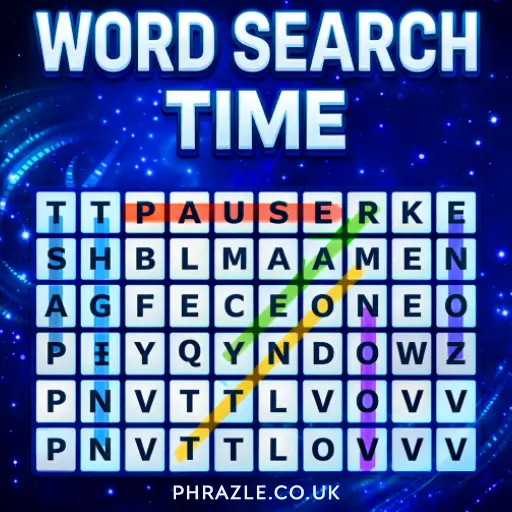














Experience instant fun with Word Search Time, a thrilling no-download browser game that lets you play online anytime. Dive into thousands of free puzzles designed for all ages, enhancing your vocabulary while keeping your mind sharp. This title works on Chrome, Safari, and mobile devices. Enjoy the excitement of word searching without any hassle!
Technical Specifications for Word Search Time
| Developer | Razzle Puzzles |
| Publishing Date | 2023-01-01 |
| Main Genre | Puzzle |
| Sub-Genre | Word Search |
| Platform | Web Browser (HTML5) |
| Input Method | Mouse, Touch Screen |
| Multiplayer Mode | Single-player |
| Content Rating | Everyone / ESRB E |
| Tech Stack | HTML5, JavaScript, CSS |
| Primary Language | English |
| Installation Required | No (Instant Play) |
Word Search Time - Free Online Game
Word Search Time is a fun and engaging online game developed by Razzle Puzzles. Released in 2023, it offers players a chance to explore a grid filled with letters while searching for hidden words.
Key features include:
- Diverse Themes: Each puzzle has a unique theme, making every game exciting.
- Varied Difficulty: Words range from easy to hard, catering to all skill levels.
- Interactive Gameplay: Players can click or drag to highlight words they find in the grid.
- Daily Challenges: A new puzzle is available every day, encouraging regular play.
The game saves your progress, allowing you to return and finish unfinished puzzles whenever you want. With its user-friendly interface, it’s perfect for kids looking to improve their vocabulary and have fun at the same time!
Word Search Time Gameplay & Mechanics
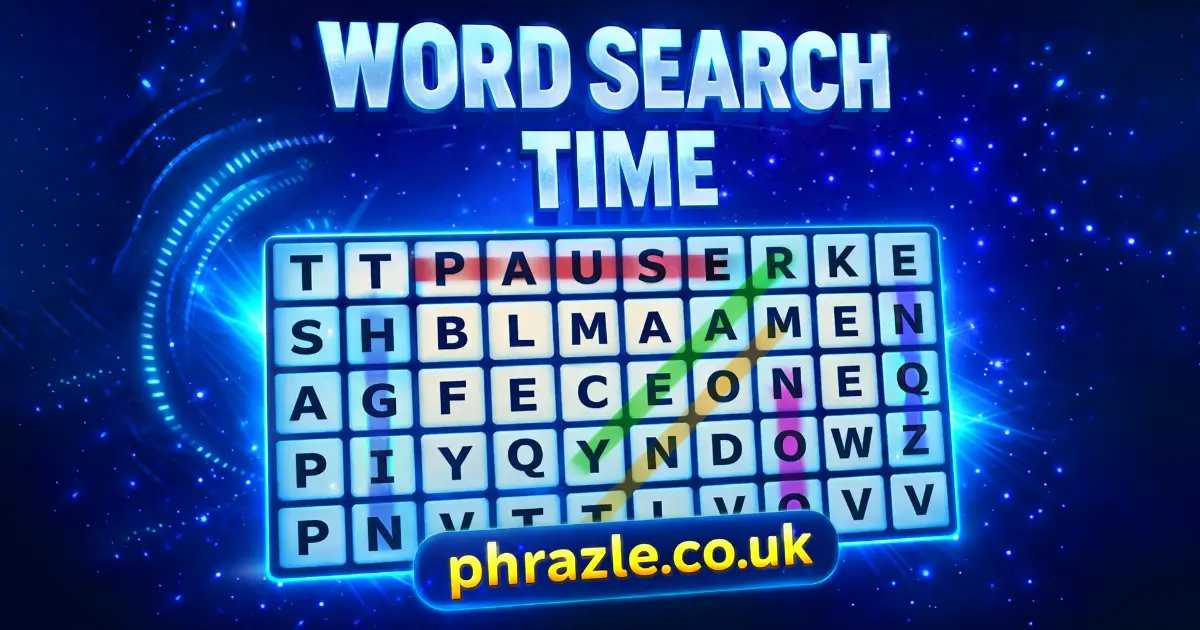
In Word Search Time, your mission is to find hidden words in a grid of letters. The words can be arranged in various directions: horizontally, vertically, diagonally, and even backward. Here’s how to play:
- Start with the Grid: When you begin, you’ll see a grid filled with letters. Your goal is to spot the words listed beside the grid.
- Scan the Word List: Look at the word list. It shows you all the words you need to find. Words will change color once you discover them.
- Search Method: Use your eyes to scan the grid. Look for starting letters of words. This helps you find them faster!
- Selecting Words: Once you spot a word, click or drag from the first letter to the last letter to highlight it. This confirms you've found it.
- Cross Off Words: After finding a word, cross it off your list. This keeps track of what you’ve completed.
- Repeat Until Complete: Keep searching until all words are found. The game ends when you’ve crossed off every word on the list!
You can also enjoy daily challenges with new themes and varying difficulty levels, making each game exciting and fresh. Play online or offline for free, with no download required!
Play Word Search Time Instantly in Browser
You can play this game directly in your web browser on desktop, laptop, tablet, or mobile. Enjoy the fun of Word Search Time without any downloads or installations required.
Word Search Time Tutorial for New Players
Welcome to the exciting world of word searches! Here’s how to get started and find those hidden words like a pro.
- Look at the Word List: Start by checking the list of words you need to find. This list is usually on the side of the letter grid.
- Scan the Grid: Examine the grid filled with letters. Words can be hidden in different directions: horizontally, vertically, diagonally, and even backwards!
- Find Word Fragments: Look for the first letter of each word. Once you spot it, follow it to see if the rest of the word is nearby.
- Highlight the Word: When you find a word, highlight it by clicking or dragging from the first letter to the last letter.
- Cross It Off: As you find each word, cross it off your list. This helps you keep track of what you've already found.
- Keep Searching: Repeat these steps until you find all the words on your list. Don’t forget to have fun while you play!
How to Control in Word Search Time
Mastering the controls in Word Search Time enhances your gameplay experience. Here’s how to navigate and interact with the game:
- Exploring the Grid: Start by examining the grid filled with letters. Words can be hidden horizontally, vertically, diagonally, or backward.
- Finding Words: Scan the word list displayed alongside the grid. Tap or click on any word to highlight it as you find it.
- Selecting Words: To select a word, click and drag from the first letter to the last letter of the word in the grid.
- Crossing Off Words: Once a word is found, it will automatically be crossed off your list, allowing you to focus on finding others.
- Using Advanced Controls: For added challenge, try using hard or expert modes which obscure word lists, enhancing your skills.
- Tracking Progress: Keep an eye on your best and average game times through the stats tracker for a competitive edge.
- Saving Games: The game saves your progress automatically, so you can return to unfinished puzzles anytime.
Word Search Time Cheats, Tips & Tricks
Boost your skills and solve puzzles faster with these effective strategies:
- Scan the Word List First: Quickly look through the list of words. Identify the shortest and longest words to plan your search.
- Start at the Edges: Begin searching from the edges of the grid. Words often start or end there, making it easier to find them.
- Look for Unique Letters: Focus on letters that appear less frequently in words, like Q, X, and Z. They can help you spot words faster.
- Search for Difficult Words First: Tackle the tougher words early. This way, you won't get stuck later in the game.
- Use Patterns: Familiarize yourself with common word patterns. For example, many words will have vowels in between consonants.
- Practice Regularly: The more you play, the better you'll get. Consistent practice helps you recognize patterns quickly.
- Take Breaks: If you're feeling stuck, take a short break. A fresh perspective can help you see words you missed.
- Highlight as You Go: Use your finger or mouse to trace over found words. This keeps track of what you've completed and helps prevent confusion.
Word Search Time Highlights & Modes
Experience the excitement of word searching with these engaging features:
- Diverse Themes: Each puzzle presents a unique theme, keeping gameplay fresh and fun.
- Multiple Difficulty Levels: Choose from easy, medium, hard, and expert modes to match your skill level.
- Interactive Gameplay: Click or drag to highlight words, making it easy to track your progress.
- Daily Challenges: Enjoy a new puzzle every day to keep your skills sharp and entertained.
- Word Exploration: Discover words hidden in various directions: horizontally, vertically, diagonally, and even backwards.
- Progress Tracking: Monitor your best and average game times to see how you improve over time.
- No Download Required: Play instantly online for free, making it accessible anywhere, including school.
- Save Your Game: Unfinished puzzles are saved automatically, so you can return whenever you want.
- Dictionary Access: Tap on any word to learn its definition while you play.
Top Rated Games Similar to Word Search Time
If you enjoy Word Search Time, you'll love these similar games that challenge your word-finding skills:
- Word Frenzy - A fast-paced word search experience.
- Word Holiday - Explore themed word puzzles for a fun twist.
- Word Sauce - Mix and match letters in this creative word game.
- Word Search 3 - Classic word search gameplay with new challenges.
FAQs about Word Search Time
Does Word Search Time work on mobile/phone?
Yes, it works perfectly on mobile devices. You can enjoy it anytime, anywhere!
Do I need to download Word Search Time?
No, you do not need to download anything. You can play directly in your web browser.
Can I play Word Search Time on Chromebook?
Yes, it is compatible with Chromebooks. Just open your browser and start playing!
What types of words can I find in the game?
You can find a variety of words, including common vocabulary and themed words. The game keeps it fun and interesting!
Are there different difficulty levels in Word Search Time?
Yes, there are various difficulty levels. You can choose the one that suits your skill level best.
Can I track my progress in the game?
Yes, you can track your best and average game times. This helps you see how much you've improved!
Is there a daily challenge feature?
Yes, there is a daily challenge. You can return each day for a new puzzle to solve!
Can I play offline?
No, you need an internet connection to play. It’s an online game that requires access to the web.
Is there a timer in the game?
Yes, there is a timer for added excitement. Try to find all the words before time runs out!
Can I pause the game if I need a break?
No, you cannot pause the game. However, you can exit and come back later to finish!
Final Verdict: Should You Play Word Search Time?
Absolutely! Word Search Time is a fantastic way for kids to engage their minds while having fun. The thrill of uncovering hidden words in a colorful grid keeps players entertained for hours.
With various difficulty levels and themes, there's always something new to explore. Plus, it's a great tool for improving vocabulary and spelling skills without feeling like a chore.
So, gather your friends and challenge each other to see who can find the most words the fastest! Play Word Search Time online today.