![Phrazle | Play Online Free [No Download]](https://phrazle.co.uk/wp-content/uploads/2025/11/phrazle-title.webp "Phrazle | Play Online Free [No Download]")
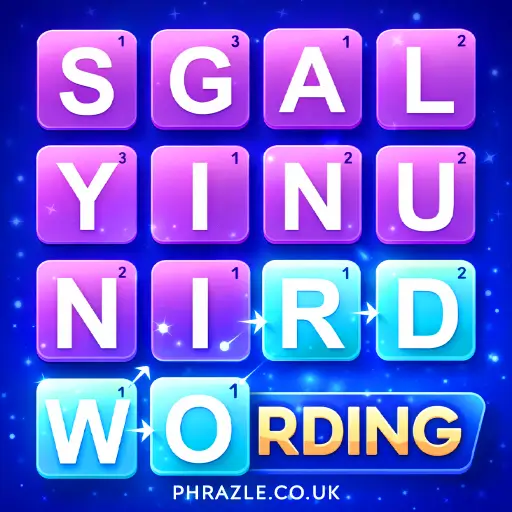










Play Wording online for free and challenge yourself to find as many words as possible before time runs out! With thousands of levels, this game is perfect for kids who love word puzzles. It’s a fun way to improve your vocabulary and test your skills. No downloads needed, just jump in and start playing. Can you beat the clock and become a word master? See how many words you can discover! Enjoy endless fun and learning!
Wording: The Ultimate Browser Game
Developed by GameMasters, this game was released in March 2024. It's designed to be played directly in your web browser, whether on desktop or mobile.
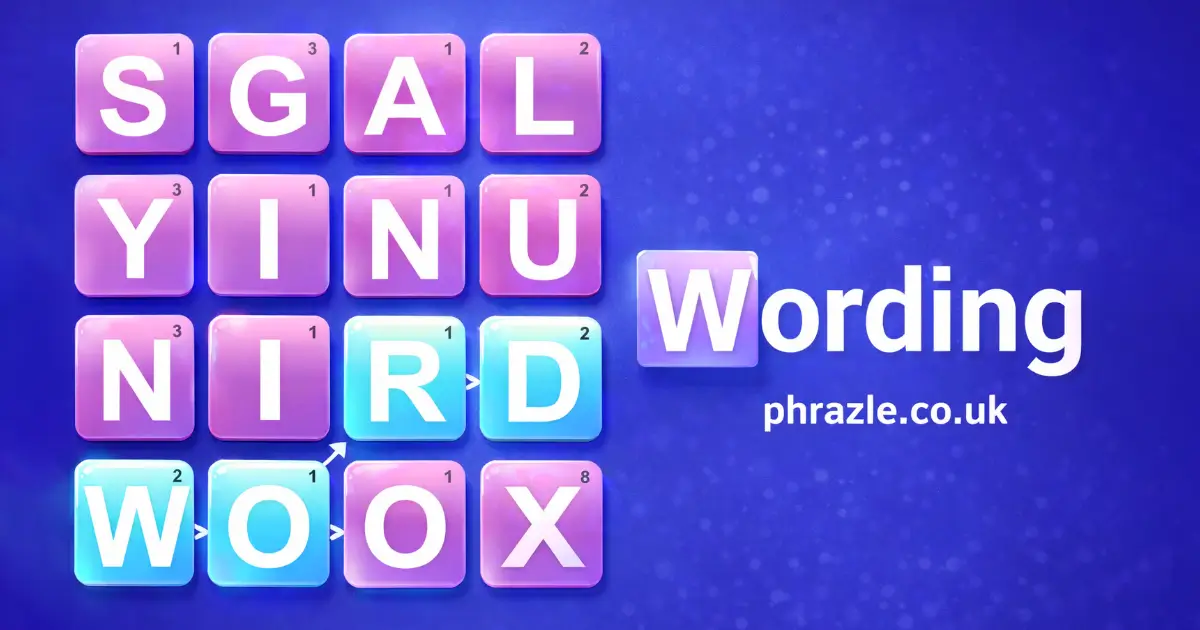
In this game, players connect letters to form words by dragging the left mouse button. You can go in any direction—diagonal, backward, or forward. This flexibility makes it both fun and challenging.
Why play? It helps improve vocabulary and word recognition skills while keeping your brain sharp. It's educational and entertaining for all ages. Whether you're connecting letters or racing against the clock, this game offers endless fun and learning opportunities.
Mastering Wording: A Complete Guide
To excel in these word games, understanding the mechanics is key. Here's how you can become a pro:
- Connecting Letters: Use your mouse or finger to drag and connect letters on the grid. You can move in any direction—up, down, diagonal, or even backward. This flexibility allows you to form words creatively.
- Word Search Strategy: Scan the grid carefully to find hidden words. Start with the first letter and trace the path to complete each word. This improves your observational skills and speed.
- Word Quest Challenges: In these games, connect letters in a circle to discover new words. Think outside the box and experiment with different combinations.
- Time Management: Some games are timed, adding an exciting challenge. Practice forming words quickly to beat the clock and improve your reaction time.
- Pattern Recognition: Develop your ability to spot patterns in letters and words. This skill is crucial for solving puzzles efficiently.
- Vocabulary Building: As you play, you'll encounter new words. Use these opportunities to expand your vocabulary and language skills.
These mechanics make word games not only fun but also educational. Play these games and watch your skills grow.
Play Wording Instantly in Browser
You can play this game directly in your web browser on desktop, laptop, tablet, or mobile.
Beginner's Guide to Wording
Welcome to the fun world of word games! Here's how you can start playing and enjoying these games:
- Start by looking at the grid filled with letters.
- Your goal is to find and connect letters to form words.
- You can connect letters in any direction: up, down, left, right, or even diagonally.
- Try to make as many words as you can from the available letters.
- Challenge yourself by finding longer words for more points.
- Keep practicing to improve your skills and discover new words!
Remember, the more you play, the better you'll get at spotting words quickly. Have fun and enjoy learning new words!
PC Controls for Wording
Mastering the controls is essential for success. Here are the controls you need to know:
- Basic Controls: Drag the left mouse button to connect letters and form words.
- Advanced Controls: You can connect letters in any direction, including diagonal and backward, to maximize your word-forming potential.
Wording Cheats, Tips & Tricks
Want to master the game and impress your friends? Here are some top tips to help you become a pro:
- Connect Strategically: Use diagonal, backward, and any direction to form words. This gives you more options and can lead to higher scores.
- Look for Common Prefixes and Suffixes: Spotting prefixes like "un-" or suffixes like "-ing" can help you quickly create longer words.
- Practice Daily: Regular play helps improve your speed and word recognition skills. Try to beat your previous scores!
- Use Hints Wisely: If the game offers hints, use them sparingly to find tricky words without losing too many points.
- Expand Your Vocabulary: The more words you know, the easier it is to spot them. Read books or play other word games to learn new words.
Remember, practice makes perfect. Keep playing and you'll soon be a Wording wizard!
Wording Highlights & Modes
Discover the exciting features that make these games engaging and educational:
- Platform Compatibility: Play on any web browser, whether on desktop or mobile, with no download required.
- Interactive Controls: Connect letters by dragging the left mouse button. Go in any direction, including diagonal and backward.
- Variety of Game Types: Enjoy different modes like Word Search, Word Quest, Wordle, Word Twist, Letter Connect, and Scrabble.
- Educational Benefits: Improve vocabulary, spelling, and pattern recognition while having fun.
- Engaging Challenges: Solve puzzles under time pressure or relax with untimed modes.
- No Age Limit: Suitable for players of all ages, offering both simple and complex puzzles.
- Mental Workout: Enhance concentration, memory, and logical thinking skills.
Top Rated Games Similar to Wording
If you enjoy playing Wording, you'll likely appreciate these top-rated games that offer similar word challenges and fun.
FAQs about Wording
Does it work on mobile/phone?
Yes, you can play it on any mobile device. It works perfectly on phones and tablets.
Do I need to download it?
No, you don't need to download anything. It's playable directly in your browser.
Can I play it on Chromebook?
Yes, you can play it on a Chromebook. Just use your web browser.
What are word games?
Word games are fun puzzles that help improve vocabulary and word skills. They include activities like word searches and letter connections.
Why should you play word games?
Playing them helps build vocabulary and keep your mind sharp. They're fun and educational for all ages.
What types of word games are there?
You can find word search, letter connect, and scrabble games among others. Each type offers unique challenges and fun.
How do you control the game?
Use the left mouse button to drag and connect letters. You can go in any direction.
When was the release date?
The release date was March 2024. It's available now for everyone to enjoy.
What platforms can you play on?
You can play on any web browser, both desktop and mobile. No special software needed.
Why We Recommend Wording
Wording is a fantastic game for kids, offering a fun and interactive way to learn new words. Players connect letters in any direction to form words. The game is designed to be simple yet challenging, encouraging kids to think creatively and improve their vocabulary.
We recommend trying Wording online because it’s accessible on both desktop and mobile browsers, requiring no downloads or installations. This makes it perfect for playing at home or school. Share the fun with friends and see who can create the longest word! With its combination of learning and play, Wording is an excellent choice for kids looking to expand their language skills while having a great time.