
 Loading...





















Play Wordmeister online for free and dive into a world of fun with this exciting word game! Challenge your brain by creating words using letter tiles on a virtual board. It's like a puzzle where you score points by forming words in clever ways. Compete against the computer and see how many words you can make. Perfect for kids who love playing with letters and learning new words. Get ready to become a word master and have a blast while boosting your vocabulary skills!
What Is Wordmeister?
Developed by a team of creative minds, this engaging word game was released in May 2020. It's a fun and exciting way to play with words, just like in classic Scrabble. You can play against a smart computer opponent, making it a great challenge for kids and adults alike.
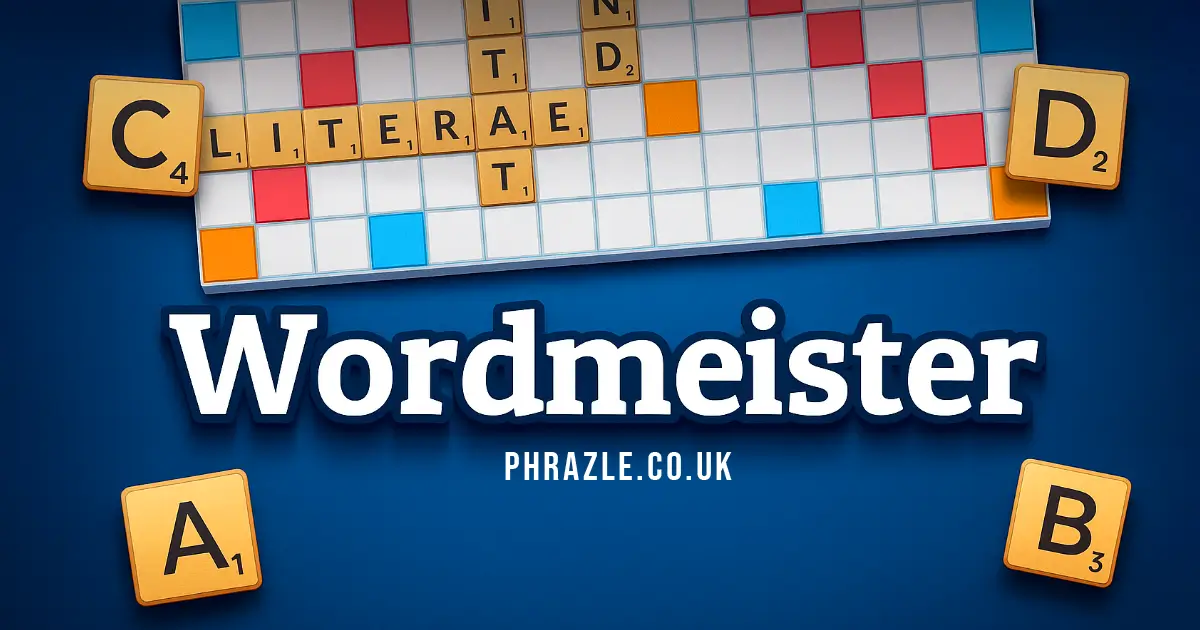
The game is played by placing letter tiles on a board to form words. The longer the word or the rarer the letters, the higher your score. Special colored squares on the board give you extra points, so aim to use them wisely!
If you get stuck, don't worry! You can shuffle your tiles or swap them for new ones to help create better words. There's also an interactive tutorial to guide you if you're new to the game.
Available on both desktop and mobile web browsers, it offers features like choosing your own avatar and playing in offline mode. Get ready to test your vocabulary and have fun creating words!
Wordmeister Gameplay Mechanics
In this fun word game, players take turns placing letter tiles on a board to form words. The game begins by randomly assigning each player a letter, and the player with the letter closest to 'A' starts. You can make words as short as two letters or as long as you can manage with your available tiles. Each letter has a point value, with rarer letters earning more points.
The board has special colored squares that boost your score: blue squares double the letter's value, green squares triple it, orange squares double the word's total value, and red squares triple it. Try to place your words strategically to maximize these bonuses!
If you're stuck and can't think of a word, you have options! You can shuffle your tiles for inspiration, swap out letters you don't need, or skip your turn entirely. The game ends when there are no tiles left or both players can't make a move.
Players can choose from 8 different avatars to represent them in the game. The game also features an interactive tutorial to help you get started. You can play against a smart computer opponent and even enjoy the game offline.
Keep an eye on the number of tiles left in the bag and your score displayed on the screen. Use your mouse or touchscreen to drag and drop tiles onto the board. Have fun creating words and challenging yourself!
Play Wordmeister on Any Device
You can play this game directly in your web browser on desktop, laptop, tablet, or mobile.
How to Play Wordmeister: A Beginner's Guide
Welcome to a fun word-making game! Here's how you can start playing and become a word master:
- Starting the Game: Click the play button to begin. Choose your favorite avatar to represent you.
- Who Goes First? The game decides who starts by giving each player a random letter. The one with the letter closest to 'A' goes first.
- Making Words: Use your tiles to form words on the board. Longer words and those with rare letters score more points.
- Bonuses: Look for special colored squares on the board. They give extra points:
- Blue squares double a letter's value.
- Green squares triple a letter's value.
- Orange squares double the whole word's value.
- Red squares triple the whole word's value.
- Stuck on a Word? If you're having trouble, you can shuffle your letters or swap them for new ones. You can also skip your turn if needed.
- Game End: The game ends when there are no tiles left or when both players can't make a word anymore.
Enjoy playing and see how many points you can score!
Mastering Wordmeister Controls
Understanding the controls is essential for a seamless gaming experience. Here’s a comprehensive guide to help you navigate the game efficiently:
- Basic Controls
- On desktop, use your mouse to left-click and drag the letters to form words on the board.
- For touchscreen devices, use your fingers as you would a mouse to move the tiles.
- To start the game, select the play button on the welcome screen and choose an avatar.
- Advanced Controls
- Shuffle your tiles to get new word ideas and optimize your strategy.
- Swap out letters you don't need for new ones to enhance your word-making potential.
- A full-screen button is available in the upper left corner; it turns into a pause button once the game starts. Refresh the page if you wish to return to full-screen mode.
- Additional Features
- An interactive tutorial is available to help you get started and understand the game mechanics.
- You can view the remaining tiles in the bag, aiding in strategic planning.
Pro Tips to Master Wordmeister
Want to become a Wordmeister whiz? Check out these awesome tips to boost your game and impress your friends!
- Start Smart: When it's your turn, try to place your word on a bonus square. This can double or even triple your score!
- Think Big: Longer words earn you more points. Try combining smaller words into one big word for a mega score!
- Use Rare Letters: Letters like 'Z', 'Q', and 'X' are worth more points. Use them wisely to rack up a high score.
- Shuffle and Swap: If you're stuck, shuffle your tiles or swap out letters you don't need. This can spark new ideas for words.
- Keep an Eye on Tiles: Check how many tiles are left in the bag. This can help you plan your moves strategically.
- Practice Makes Perfect: Try playing against the smart AI to sharpen your skills and learn new strategies.
Remember, the more you play, the better you'll get. Have fun and keep practicing!
Key Features That Make Wordmeister Special
This game offers a unique and engaging experience for players of all ages. Here are the features that make it stand out:
- Classic scrabble gameplay with a modern twist.
- Easy drag-and-drop tile system for intuitive play.
- Compete against a smart AI that challenges your skills.
- Shuffle tiles to spark new word ideas and strategies.
- Swap letters you don't need to improve your hand.
- View the number of remaining tiles in the bag to plan ahead.
- Choose from 8 avatars to represent you in the game.
- Interactive tutorial helps you get started quickly.
- Supports offline mode so you can play anywhere, anytime.
- Advanced functions like shuffle and swap for optimal word creation.
- A huge selection of words consistent with worldwide competition standards.
Play Wordmeister Online for Free
Enjoy the browser-adapted version of this classic word game right from your favorite web browser, including Chrome, Firefox, Safari, and Edge. This online version allows you to engage in strategic word play against a smart AI, offering features like tile shuffling and swapping to maximize your score. The game supports an interactive tutorial to help you get started and provides a seamless drag-and-drop tile system for ease of play. Track the number of remaining tiles and choose your own avatar for a personalized experience. Whether you're on desktop or mobile, dive into the fun and challenge your vocabulary skills with this engaging word game.
Is Wordmeister Free to Play?
Yes, it is free to play online with no fees or in-app purchases. All games on the site are free, allowing players to enjoy the classic scrabble gameplay without any cost. The benefits of free play include access to advanced functions like shuffling and swapping tiles, playing against a smart AI, and choosing from various avatars. Players can also practice their skills in offline mode, ensuring a seamless and enjoyable experience without any financial commitment.
Play Wordmeister Unblocked
Yes, play Wordmeister Unblocked on phrazle.co.uk. Whether you're at school, at work, or on a break—you can play without any restrictions.
Enjoy features like shuffle and swap tiles to optimize your word creation, all while playing against a smart AI. Choose your own avatar and experience the game in offline mode if needed. The interactive tutorial helps you get started quickly, ensuring you can dive into the game seamlessly.
Wordmeister on GitHub
No need to search on GitHub, our version works on all devices at school or work. Enjoy features like shuffle and swap tiles, and play against a smart AI with an easy drag and drop tile system. The game is designed to be accessible across various platforms, ensuring a seamless experience whether you're using a desktop or a mobile device.
Download Wordmeister (PC, iOS, Android)
Many fans enjoy downloading it for an even smoother experience. Here’s how:
- Android: Open the Google Play Store and tap Install.
- iOS: Open the App Store on your iPhone or iPad and tap Get.
- Wordmeister APK: Android users who can’t use Google Play can find and download the APK from trusted sites to install offline.
- PC Steam: If you like playing on a computer, download the game for free via Steam and enjoy a bigger screen and controller support.
Wordmeister Extension
Enhance your word game experience with our Chrome extension. This extension allows for instant play directly from your browser, providing seamless access to the game without needing to navigate to a website. With offline mode support, you can enjoy playing even when you're not connected to the internet. The extension also features advanced functions such as shuffling and swapping tiles, ensuring that players can strategize effectively and maximize their scores. Download the extension today and take your word gaming to the next level!
Similar games to Wordmeister
If you enjoy playing Wordmeister, you might also like these similar word games:
FAQs about Wordmeister
Who goes first?
Players are randomly given a letter, and the one with the earliest letter in the alphabet starts.
How do you earn points?
Make words with your tiles. Longer words and rare letters score higher points.
What are the board bonuses?
Colored squares give bonuses: blue doubles letter value, green triples it, orange doubles word value, and red triples it.
What if I can't think of a word?
You can swap tiles, skip your turn, or shuffle your letters for inspiration.
Can I play against the computer?
Yes, you can play against a smart AI that offers a fun challenge.
Is there a tutorial?
An interactive tutorial helps you learn how to play quickly and easily.
Can I choose an avatar?
Yes, you can pick from 8 avatars to represent you in the game.
How do I control the game?
Use your mouse to drag and drop tiles on a computer or your fingers on a touchscreen.
Can I play in full screen?
You can switch to full screen mode using the button in the corner of the game screen.
What platforms is it available on?
You can play on web browsers, both desktop and mobile.
Is there an offline mode?
You can play without an internet connection in offline mode.
Conclusion
Wordmeister is a delightful game that brings the classic fun of word puzzles to kids and families right from their browser. With its easy-to-use drag-and-drop tile system and helpful features like shuffle and swap, it’s perfect for young minds eager to explore the world of words. The colorful board and exciting bonuses make each turn an adventure, encouraging kids to think creatively and strategically.
Whether you're playing solo against a smart AI or challenging friends, Wordmeister promises endless fun and learning. So why wait? Dive into this wordy wonderland today, and don't forget to share the excitement with your friends. Happy word crafting!