
 Loading...
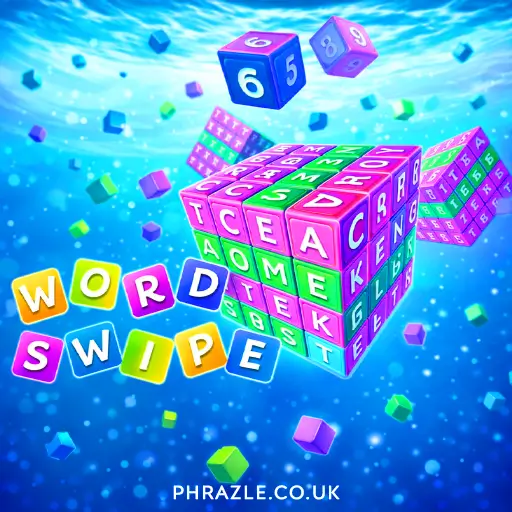



















Play Word Swipe online for free and dive into a world of fun word challenges. Connect letters by swiping in any direction to form words and clear the board. The game highlights one row, guiding you to the next word to create. It's perfect for kids aged 6-12, offering a creative way to boost vocabulary and brainpower. With no download needed, enjoy endless word-building excitement right in your browser. Whether at school or home, it's a fantastic way to learn while having fun. Get ready to swipe, solve, and succeed!
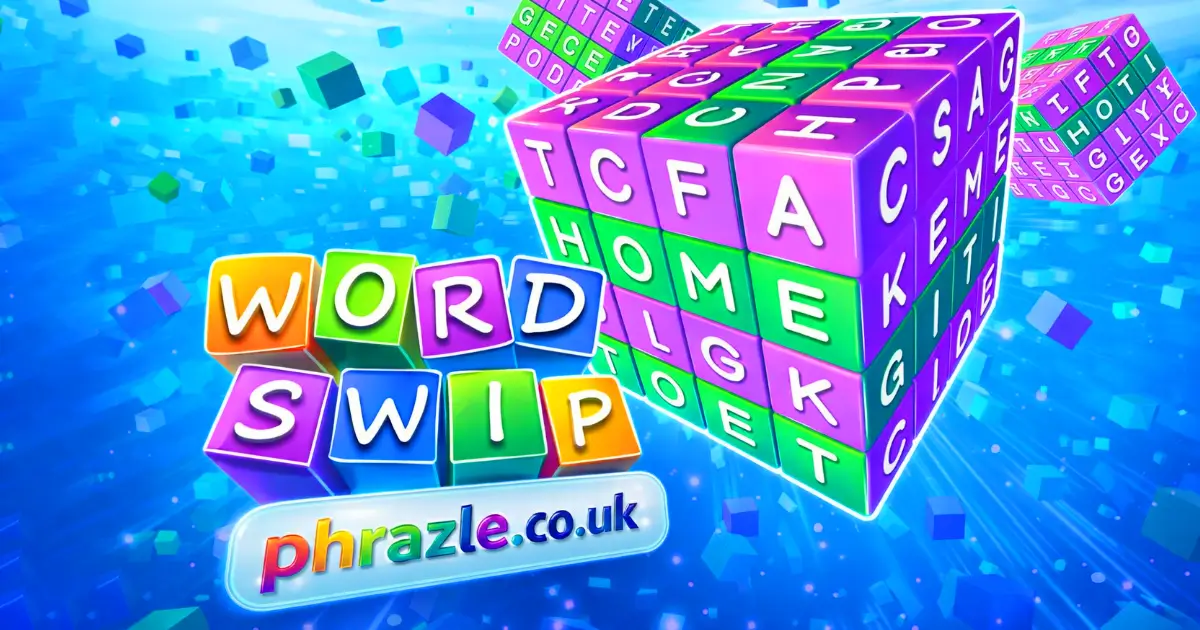
Word Swipe: The Ultimate Browser Game
Developed by Puzzle Masters, this exciting game was released in 2023. It's a fun mix of word search and puzzle-solving. The goal is to swipe letters to form words and clear the board. As you advance, the words get longer and the puzzles more challenging.
Here's how it works:
- Start with a grid full of letters.
- Swipe letters in any direction to create words.
- Correct words make letter blocks disappear, causing new letters to fall into place.
- Use hints and shuffles if you get stuck.
The game is free to play online with no download required, making it perfect for school or home. With thousands of levels, it starts easy and quickly becomes challenging. Try to find bonus words for extra points!
Winning Strategies for Word Swipe
To excel in this game, focus on these strategies:
- Start Small: Begin with shorter words. As you progress, the challenge increases with longer words and more columns.
- Use All Directions: Connect letters horizontally, vertically, and diagonally to form words. This flexibility helps clear more rows.
- Plan Ahead: Look for potential word combinations before swiping. This anticipation can help you clear letters more efficiently.
- Watch the Colors: Pay attention to the color of letter blocks. Green means correct placement, yellow means right row but wrong spot, and purple means not in the word.
- Utilize Power-Ups: Use "Search", "Hint", or "Shuffle" options when stuck. These tools can be lifesavers in tricky levels.
- Find Bonus Words: Look for extra words not listed in the clues. These bonus words can earn you additional points.
- Race Against Time: The game gets faster as you advance. Practice making quick decisions to keep up with the pace.
Remember, practice makes perfect. Keep playing and you'll improve your skills over time!
Mobile & Tablet Support for Word Swipe
You can play this game directly in your web browser on desktop, laptop, tablet, or mobile.
How to Start Playing Word Swipe
Ready to dive into a fun word adventure? Here's how you can start:
- Begin with a grid full of letters. Your goal is to find and swipe words.
- Look for words by connecting letters in any direction: up, down, left, right, or diagonally.
- Swipe the letters to form a word. Once you do, those letters will disappear.
- New letters will drop down, giving you more chances to find words.
- Try to clear as many rows as you can before time runs out!
- If you get stuck, use hints or shuffle the letters for a fresh look.
Keep practicing to improve your skills and see how many words you can find!
Word Swipe Controls & Keybinds
Master the controls to excel in this engaging word puzzle game. Here's how you can navigate and play efficiently:
- Search and swipe letters to form words on the grid.
- Swipe letters horizontally, vertically, or diagonally to link them into words.
- Use the "Search" button to find potential words when stuck.
- Tap "Hint" for assistance in discovering hidden words.
- Press "Shuffle" to rearrange the letter blocks for a fresh perspective.
- Unlock new themes by collecting coins as you progress.
- Discover "Bonus Words" that are not part of the main answers for extra points.
Word Swipe Cheats, Tips & Tricks
Master the game with these practical tips:
- Focus on finding shorter words first. This clears space and reveals new letters.
- Use the "Hint" button if you're stuck. It can guide you to potential word combinations.
- Swipe strategically. Look for words that can clear multiple rows or columns.
- Remember, you can swipe letters in any direction, including diagonally.
- Keep an eye out for "Bonus Words." These are extra words not required but earn you more points.
- As levels get harder, prioritize longer words to maximize your score and clear more space.
- Use the "Shuffle" option to mix up letters and discover new word possibilities.
With practice, you'll improve your skills and climb the leaderboard!
Why Word Swipe is so Addictive
This game keeps players hooked with its unique blend of word puzzles and challenges. Here's why it's hard to put down:
- Progressive Difficulty: Starts with simple 3-letter words and gradually increases in complexity, keeping players engaged.
- Combination of Skills: Requires both grammatical and puzzle-solving skills, offering a rewarding experience.
- Dynamic Gameplay: As you find words, letter blocks disappear, causing new letters to fall and create fresh opportunities.
- Time Challenge: Race against the clock to clear as many lines as possible, adding an adrenaline rush.
- Multiple Directions: Connect letters in any direction, including diagonally, for more creative word formation.
- Visual Appeal: Clear animations and beautiful themes enhance the gaming experience.
- Helpful Tools: Use "Search", "Hint", or "Shuffle" options when stuck, making it accessible for all ages.
- Bonus Words: Discover hidden words for extra points, adding an element of surprise.
Access Word Swipe From Anywhere
Enjoy the browser-adapted version of the game on Chrome, Firefox, Safari, and Edge. This online version allows you to play without downloads, making it perfect for school or work breaks. Swipe letters to form words and clear rows, just like in the app. Use features like "Search", "Hint", and "Shuffle" to enhance your gameplay. The game remains challenging with increasing word lengths and hidden words as you progress. Experience seamless animations and beautiful themes directly from your browser.
Full Version of Word Swipe for Free
Enjoy the full version of this engaging word game online without any fees or in-app purchases. All games on our site are completely free, allowing you to dive into endless word challenges without spending a dime.
Playing for free means you can experience the thrill of linking letters and clearing rows without any interruptions. As you progress, the game becomes more challenging, testing both your grammatical skills and puzzle-solving abilities. This unique blend keeps players engaged and entertained.
With no downloads required, you can start playing instantly from any device. Enjoy clear animations, beautiful landscapes, and thousands of levels designed to keep your brain sharp. Use hints and shuffles to overcome tricky puzzles and aim for the highest scores.
Bypass Blocks: Play Word Swipe
How can I play it unblocked?
You can play Word Swipe Unblocked on phrazle.co.uk. Whether you're at school, at work, or on a break—you can play without any restrictions.
Does it work on school Chromebooks?
Yes, it works seamlessly on school Chromebooks as it's an HTML5 game. No downloads are required, ensuring easy access.
What are the benefits of playing it unblocked?
- Access from anywhere without restrictions.
- No need for downloads or installations.
- Perfect for quick breaks during school or work.
Word Swipe on GitHub
No need to search on GitHub, our version works on all devices at school or work. Enjoy seamless gameplay without downloads. Perfect for quick breaks and improving your word skills!
Save Space: Play Word Swipe Online
Many fans enjoy downloading for an even smoother experience. Here’s how:
- Android: Open the Google Play Store and tap Install.
- iOS: Open the App Store on your iPhone or iPad and tap Get.
- Word Swipe APK: Android users who can’t use Google Play can find and download the APK from trusted sites to install offline.
- PC Steam: If you like playing on a computer, download the game for free via Steam and enjoy a bigger screen and controller support.
Word Swipe Extension
The Chrome extension offers seamless integration for instant play. It allows users to enjoy the game directly from their browser without the need for downloads. This is perfect for quick sessions, especially in environments like school where installations might be restricted. The extension may also support offline modes, letting you play even without an internet connection. Experience the fun of finding hidden words and swiping letters anytime, anywhere with the convenience of a browser extension.
Games Like Word Swipe
If you enjoy Word Swipe, you'll likely love these similar games. Each offers unique challenges and hours of fun. Check them out:
FAQs about Word Swipe
Is Word Swipe free to play?
Yes, it's 100% free to play. You don't need to download or register.
Can I play Word Swipe at school?
Yes, you can play it unblocked at school. Just access it through your browser.
Does Word Swipe work on mobile/phone?
Yes, it works perfectly on mobile devices. Just open your browser and start playing.
Do I need to download Word Swipe?
No, there's no need to download anything. It's playable directly in your browser.
Can I play Word Swipe on Chromebook?
Yes, you can play it on a Chromebook. Just use your web browser.
How do I know if a letter is in the right spot?
If a letter block turns green, it's in the right spot. Yellow means it's in the right row but wrong spot.
What happens when I find a word?
The letter blocks will crush and new letters will fall into place. Keep swiping to find more words.
Are there clues to help me find words?
Yes, there are clues for each puzzle. Use them if you get stuck.
Do the words get longer as I progress?
Yes, the words start short but get longer as you advance in the game.
Can I use hints if I'm stuck?
Yes, you can use hints or shuffle the letters for help. These options are available during gameplay.
Are there any bonus words to find?
Yes, try to find bonus words that aren't part of the main answers for extra points.
Word Swipe Review Summary
Word Swipe is a delightful mix of word search and puzzle fun, perfect for kids who love a challenge. The game starts easy with short words but quickly becomes more exciting as the words get longer and the puzzles more complex. This keeps young minds engaged and entertained.
The colorful graphics and simple controls make it easy for kids to dive right in and start swiping. It's a fantastic way to improve vocabulary and problem-solving skills while having a blast. Plus, there's nothing like the thrill of finding that perfect word!
Encourage your friends to join the fun and see who can climb the leaderboard fastest. Try Word Swipe online today and experience the joy of word puzzles at your fingertips. Play for free on our site and share the excitement!