![Phrazle | Play Online Free [No Download]](https://phrazle.co.uk/wp-content/uploads/2025/11/phrazle-title.webp "Phrazle | Play Online Free [No Download]")
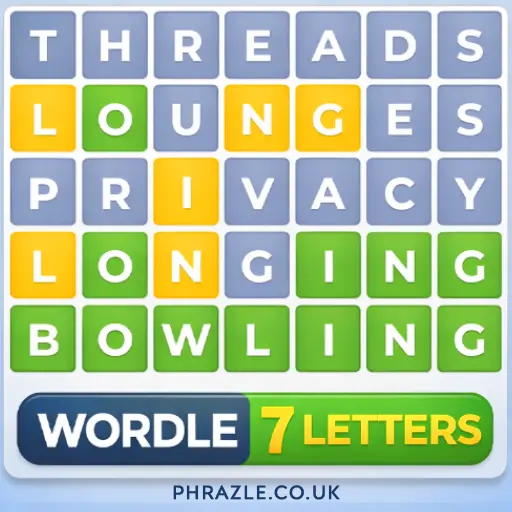




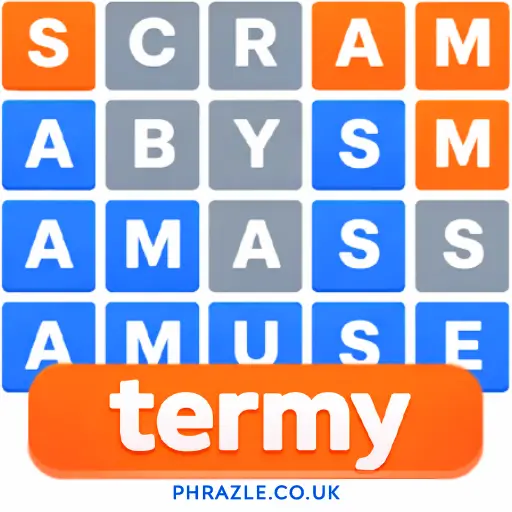





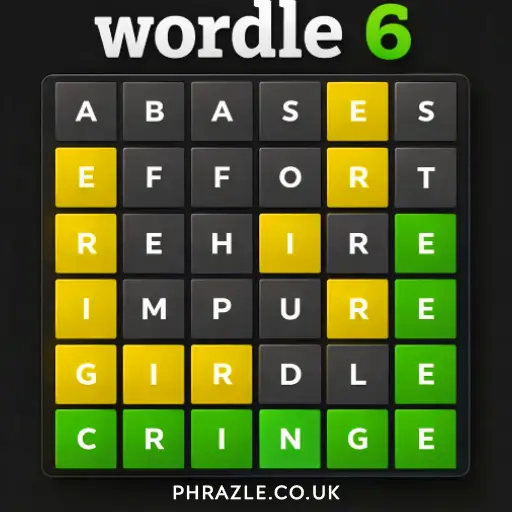



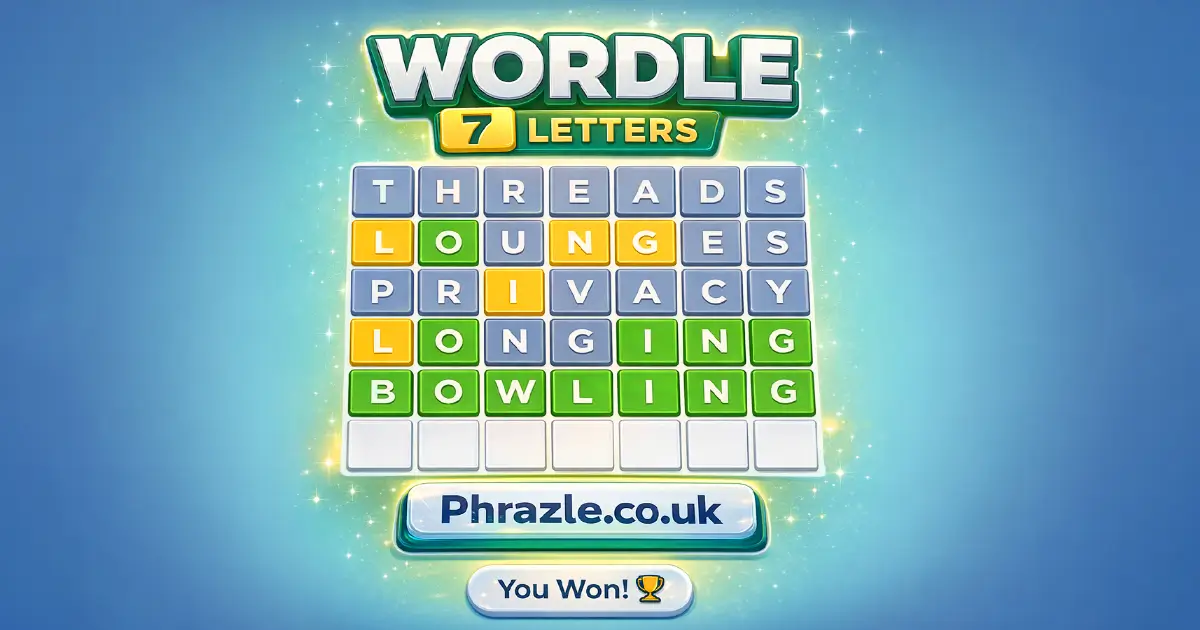
Play Wordle 7 Letters online for free and challenge your word skills! Guess the hidden 7-letter word in just 6 tries. It's like a puzzle where each guess gives you clues. Green means the letter is correct and in the right spot. Yellow means it's in the word but in the wrong spot. Gray means it's not in the word at all. Enjoy endless fun and improve your vocabulary with every round. Ready to become a word master?
Winning Strategies for Wordle 7 Letters
To win, start with a word that uses many vowels and common consonants. Words like "Eagling" or "Iceboat" are great choices because they cover multiple letters without repeats. This helps eliminate possibilities quickly.
Pay attention to the color of the tiles:
- Green: The letter is in the correct spot. Keep it there in future guesses.
- Yellow: The letter is in the word but in the wrong place. Use it in a different spot next time.
- Gray: The letter is not in the word at all. Avoid using it again.
Use your first few guesses to gather as much information as possible. Try words with different letters to maximize hints. If stuck, think of words that fit the pattern of colors you've uncovered.
Remember, you only have six tries, so make each guess count. If you don't succeed, you can always try again tomorrow with a new word challenge!
Play Wordle 7 Letters Instantly in Browser
You can play this game directly in your web browser on desktop, laptop, tablet, or mobile.
How to Start Playing Wordle 7 Letters
Ready to play? Here's how you can start:
- Think of a word with 7 letters. Make sure it's a real word.
- Type your word and press Enter. You can use your keyboard or tap the letters on the screen.
- After you guess, the tiles will change colors:
- Green: The letter is in the right spot.
- Yellow: The letter is in the word but in the wrong spot.
- Gray: The letter is not in the word at all.
- Use the color clues to guess another word. Try to get it right in 6 tries!
If you don't guess it, don't worry! You can try again with a new word tomorrow.
Mastering the Keyboard in Wordle 7 Letters
Understanding the controls is key to success. Here's how to navigate:
- Typing Guesses: Use your keyboard to type any valid 7-letter word. On mobile, tap the letters on the screen.
- Submitting a Guess: Press the Enter key to submit your word. The game will then evaluate your guess.
- Color Feedback: After submission, tiles change color:
- Green: Letter is in the correct spot.
- Yellow: Letter is in the word but in the wrong spot.
- Gray: Letter is not in the word at all.
- Strategic Guessing: You have six attempts to find the correct word. Use each guess wisely by incorporating feedback from previous attempts.
With these controls, you're set to tackle any challenge this game throws your way. Happy guessing!
Top 5 Secrets in Wordle 7 Letters
Unlock the secrets to mastering this word puzzle with these top tips:
- Start Smart: Use a word with lots of vowels and common consonants. Try "Eagling" to cover E, A, I, G, L, and N.
- Avoid Repeats: For your first guess, choose a word without repeating letters. "Iceboat" is a great option.
- Vowel Power: Use vowel-heavy words like "Eulogia" to quickly identify which vowels are in the word.
- Mix It Up: If you're stuck, try a word with different letters from your previous guesses to get new clues.
- Be Strategic: Remember that you have six tries. Plan your guesses to maximize information with each attempt.
Best Features of Wordle 7 Letters
This game challenges players to guess a secret 7-letter word in six tries. It's engaging and tests your vocabulary skills. Here are some standout features:
- Interactive Gameplay: Each guess changes tile colors to guide you. Green means correct letter and position, yellow means correct letter but wrong position, and gray means the letter isn't in the word.
- Daily Challenge: New words every day keep the game fresh and exciting.
- Strategic Thinking: Encourages players to think critically about letter placement and frequency.
- Social Sharing: Share your results on social media to compete with friends.
- Unlimited Replays: Practice as much as you want to improve your skills.
If You Love Wordle 7 Letters, Play This
If you're a fan of Wordle 7 Letters, these games will keep your word puzzle passion alive. Check them out:
- Words Search - Challenge your brain with this classic word-finding game.
- Wewordle - Experience a new twist on word puzzles with daily challenges.
- Word Cross - Enjoy crossword-style gameplay with unique word combinations.
- Word Wonders - Explore magical worlds while solving intricate word puzzles.
FAQs about Wordle 7 Letters
Does Wordle 7 Letters work on mobile/phone?
Yes, it works perfectly on mobile phones. Play anytime, anywhere!
Do I need to download Wordle 7 Letters?
No, you don't need to download anything. Play directly in your web browser.
Can I play Wordle 7 Letters on Chromebook?
Yes, you can play it on a Chromebook. Just use your Chrome browser.
How to play 7 letters Wordle?
Guess the word in 6 tries. Each guess must be a valid 7-letter word. Use the color hints to find the correct word.
How to start a 7 letter Wordle game?
Type a 7-letter word and hit Enter. Use the color feedback to guide your next guesses.
What are some tips for playing?
Start with words that have many vowels and no repeating letters like "RADIO." Use strategic guesses based on color hints.
Can I share my results with friends?
Yes, you can share your results on Twitter or WhatsApp. Challenge your friends!
Who created Wordle?
Wordle was created by Josh Wardle in October 2021. He made it for fun during quarantine.
What's the history of similar games?
Lingo and Jotto are similar games that inspired Wordle. They involve guessing words with limited tries.
How often can I play a new game?
You can play a new game every day. Each day brings a fresh challenge!
Is Wordle 7 Letters Good? (Conclusion)
Wordle 7 Letters is a fantastic game for kids who love challenges and word puzzles. It encourages strategic thinking and vocabulary expansion in a fun way. The colorful feedback system keeps players engaged as they refine their guesses.
Playing Wordle 7 Letters online is easy and free, with no downloads required. Plus, sharing scores with friends adds a social element that enhances the fun.
Give Wordle 7 Letters a try today on our site. It's a great way to test your skills and have fun while learning new words. Challenge your friends and see who can guess the word first!